Announcements
The Spotify Community is in read-only mode while we move to a new platform. We expect to be back up and running October 6th. During this time you can read existing content but take no other actions. If you still need help, visit our Support Site or contact us.

Help Wizard

Step 1

NEXT STEP

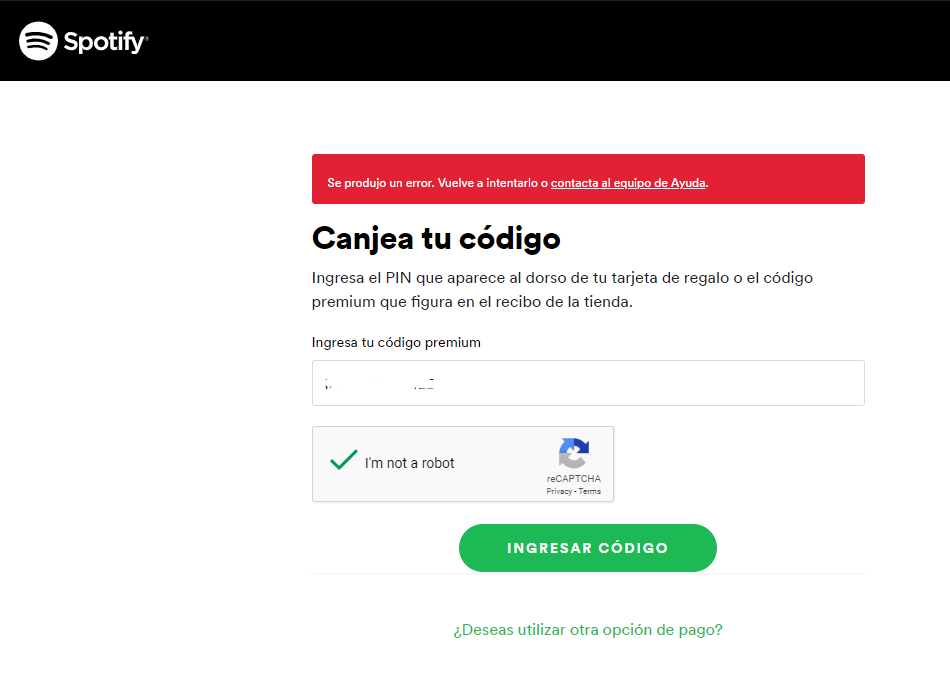
Error trying to redeem code

Error trying to redeem code

Plan

Premium

Country

Mexico

Device

Iphone 7, Lenovo

Operating System

(iOS 12, Windows 10)


My Question or Issue

I want to redeem a giftcard I get and when I enter the code, shows an error.


Can you help me please.


Thanks.

Reply
5 Replies

Hey @vmgm, I'll be happy to help you!


No worries. Let's check a few things:

  • Make sure that the country that's registered on your account, is the same country the gift card was purchased
  • Enter the code correctly. For example, if a letter says (L), enter (L), not (l).

Once you've checked that, try redeeming the gift card using a different browser or incognito mode. If you're still having troubles, please send me a screenshot of the error messages being shown (make sure to hide sensitive info when posting to the community).


Let me know how this goes 🙂

Billy-JSpotify Star
Help others find this answer and click "Accept as Solution".
If you appreciate my answer, maybe give me a Like.
Note: I'm not a Spotify employee.

Hi,


I try with cognito but I have the same problem.SpotifyErrorGiftcard.PNG


I'm already premium user and I pay with paypal, but I want to add a giftcard a friend give me.


Thanks, regards.

Hey @vmgm.


Thanks for the reply!

Did your friend purchase the gift card in the same country you're in at the moment? Also, what subscription do you have - is it Premium, or Premium for Students/Family? 


Keep me posted 🙂 

Billy-JSpotify Star
Help others find this answer and click "Accept as Solution".
If you appreciate my answer, maybe give me a Like.
Note: I'm not a Spotify employee.

The same thing happens to me, I went to the store where I bought it and they told me that if it was active and it happened again, just in case and nothing.

Screenshot_2019-07-12-17-07-34-198_com.android.chrome.png

Hey @Tovias150


Thanks for trying! 

In this case, I'd recommend getting in touch with Customer Support here. They'll take a look and help you further.


Have a great weekend 🙂

Billy-JSpotify Star
Help others find this answer and click "Accept as Solution".
If you appreciate my answer, maybe give me a Like.
Note: I'm not a Spotify employee.

Suggested posts

Let's introduce ourselves!

Hey there you,   Yeah, you! 😁   Welcome - we're glad you joined the Spotify Community!   While you here, let's have a fun game and get…

ModeratorStaff / Moderator/ 5 years ago  in Social & Random